
 3 hours ago
2
3 hours ago
2
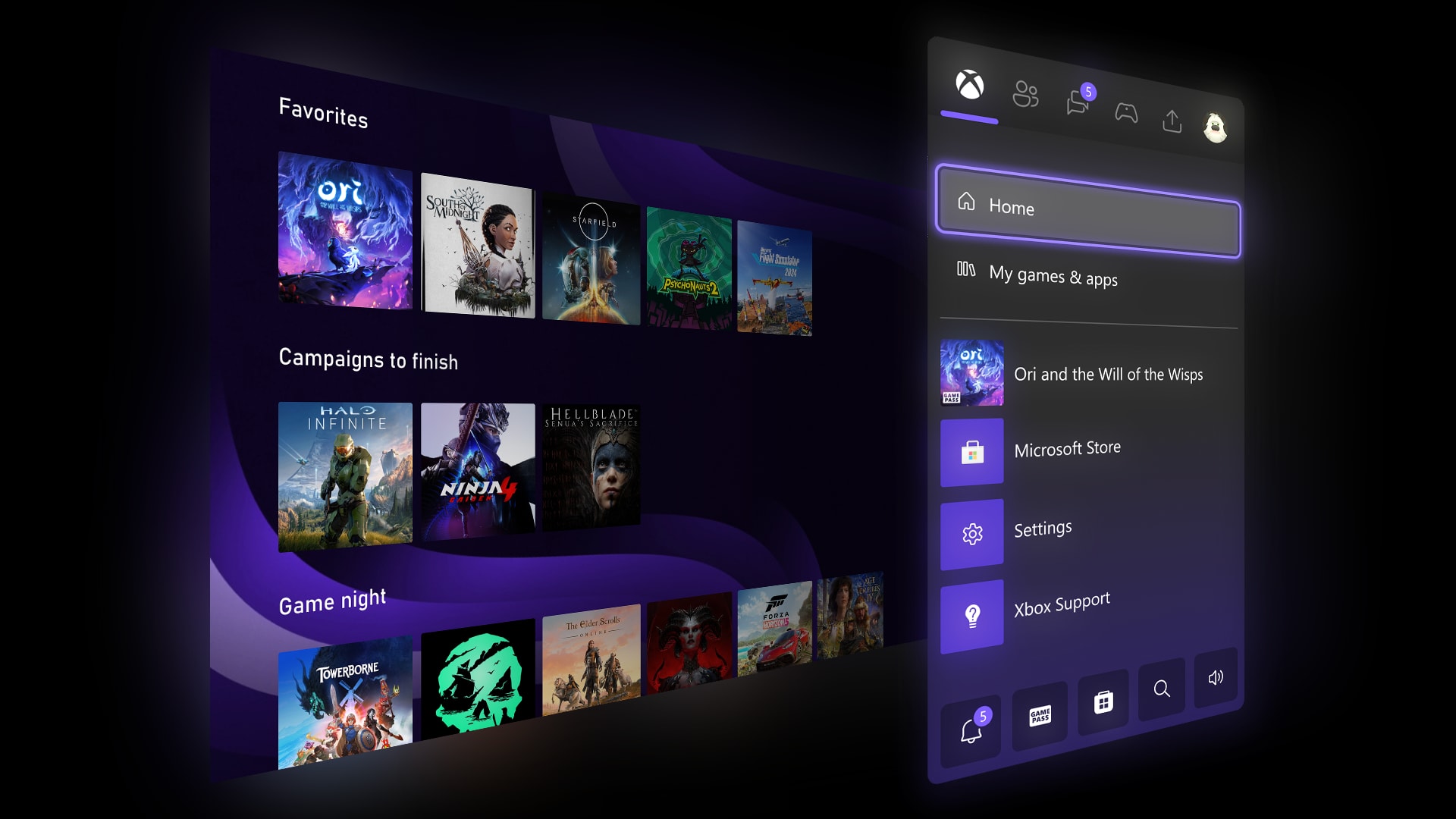

🆕 Microsoft has added some long-requested features for Xbox Insiders
🙌 For instance, you can now have up to ten groups on the Xbox Home screen
🙏 Menu accents can also have a custom color attached to them
👍 You can now also disable Quick Resume on a per-game basis
Microsoft has heard the calls of Xbox fans and brought some new, highly requested features to the platform with a new update for Xbox Insiders, which will later roll out to general users after they’ve been thoroughly vetted.
As per a new Xbox Wire post, Microsoft is adding things such as the ability to have more groups on the Xbox home screen. This is going from the current two, all the way up to ten.
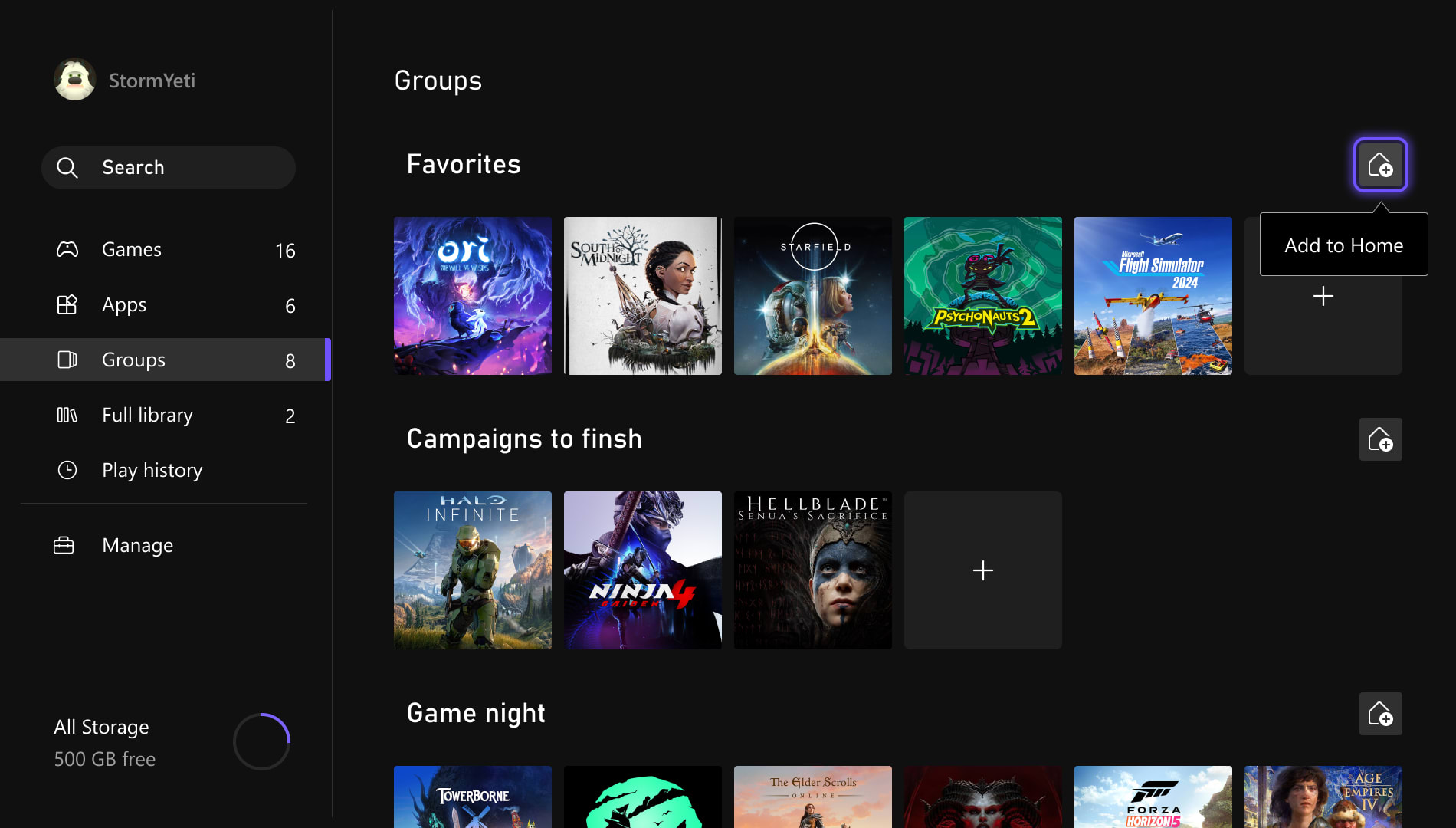
It’s also going to be easier to manage the groups you have, and to reorder games on the home screen.
For added personalization fun, you can now finally create a custom color for the UI, rather than just having a range of predetermined hues to make your Xbox experience unique.
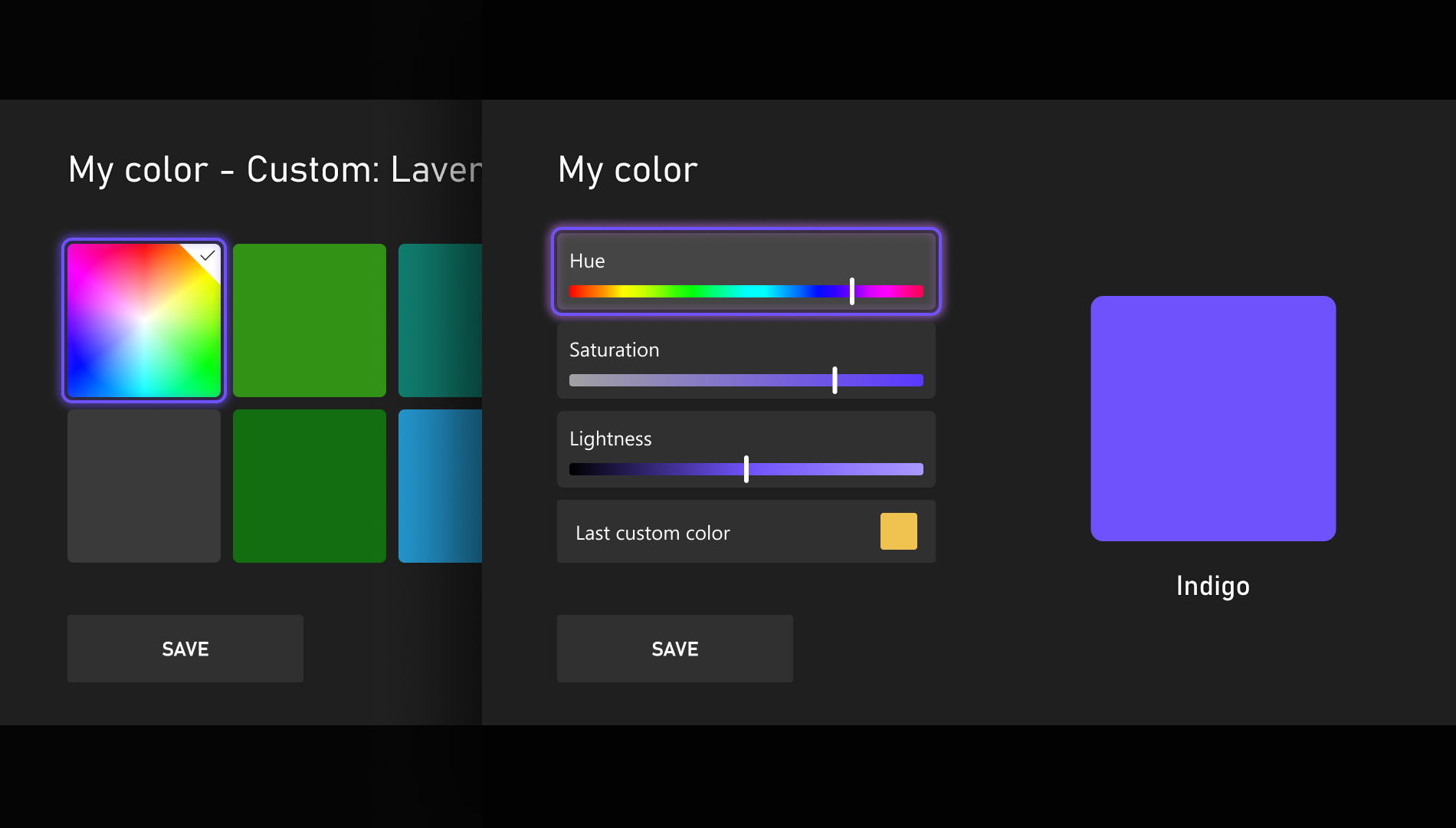
The colors will show in places such as the accents around highlighted menu tiles and in the bottom left corner of My Games and Apps. You’ll also see a subtle amount of your chosen color in the Guide section of the Xbox UI.
Microsoft says that there are “a few guardrails in place” to keep the color consistent across the console. If you switch back to a system color, then it’ll also save your last custom selection so you can return to it later with ease.
Custom colors will be viewable by other Xbox Insiders at the moment, and will roll out to everyone beginning in April with a new update.
The new update also brings changes to the clever Quick Resume feature on Xbox Series consoles that leaves your game in a suspended state when you exit. Even turning the console off and jumping back into the same game brings you right back to where to left off, thanks to Quick Resume
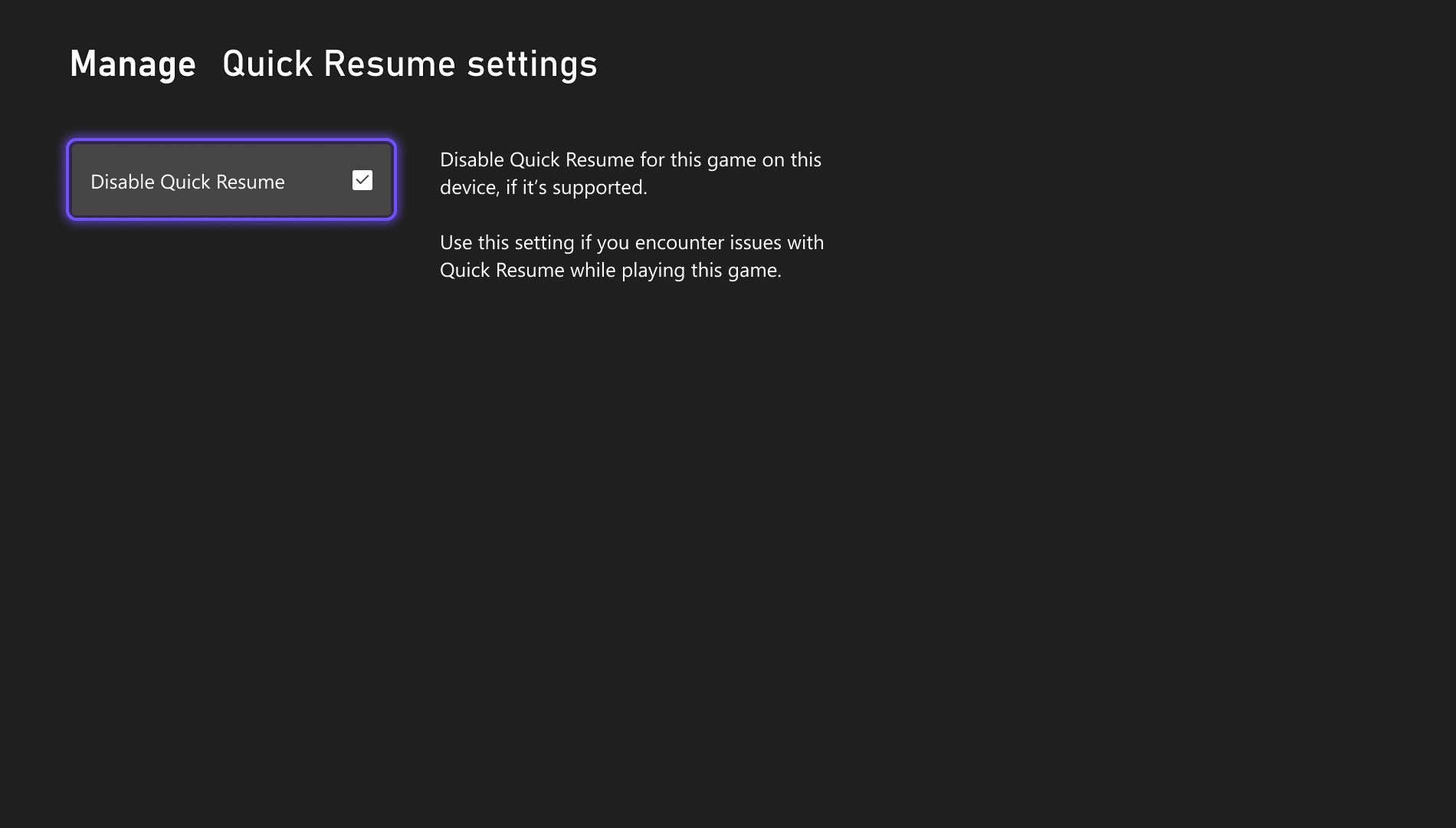
Microsoft is now allowing users to disable Quick Resume on a per-game basis, as user feedback has indicated that certain games don’t always boot up in a pleasant manner with Quick Resume in play.
The option to disable it for certain games will be available in the ‘More options’ menu on a game tile in the Quick Resume group. Selecting the ‘Manage Quick Resume’ option will bring up the toggle to turn it off, as will going to the game tile and selecting ‘Manage game and add-ons’ from the ensuing menu.
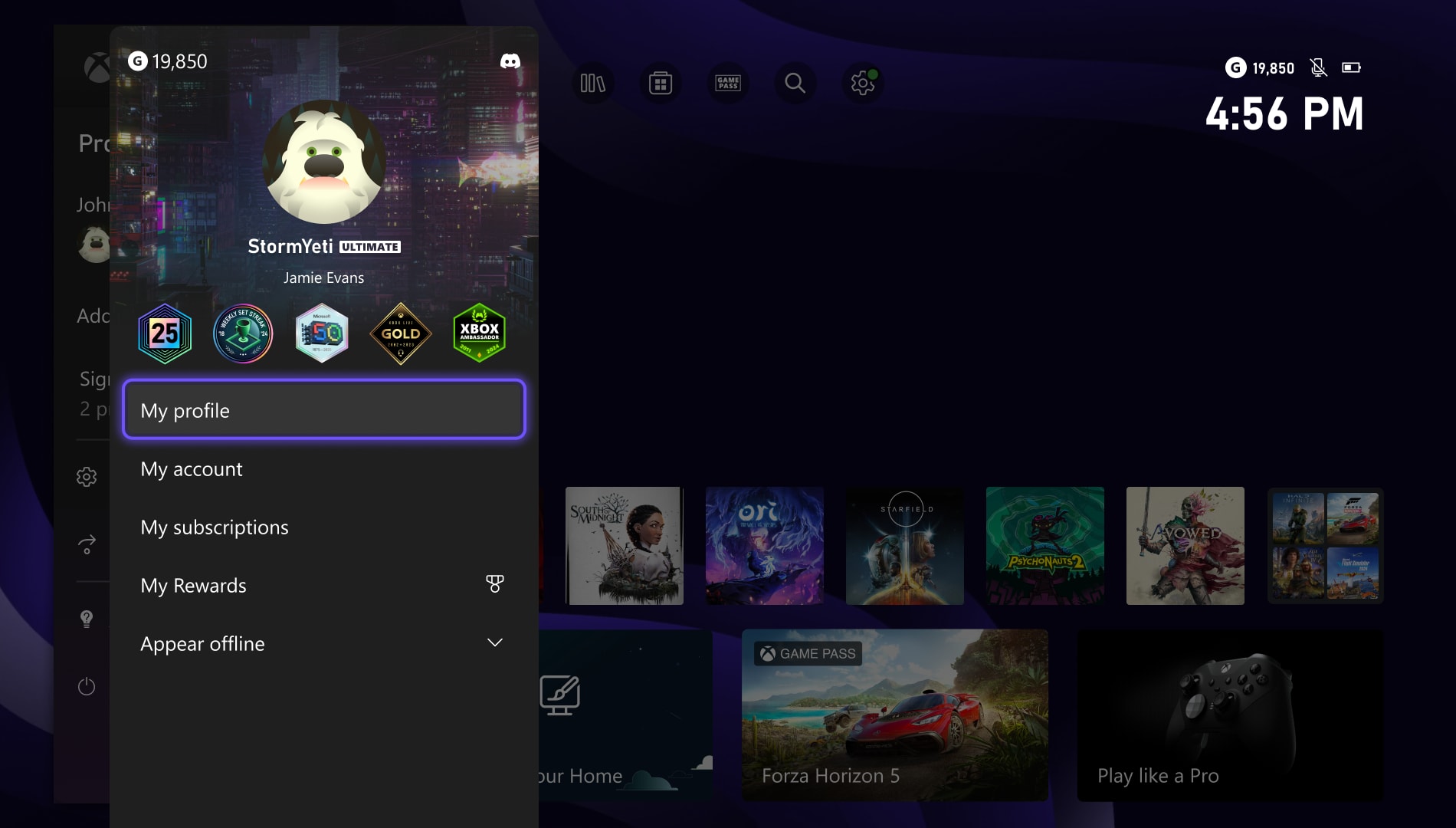
A smaller change that’s also part of the new update is that when you open the Guide to look at your own profile or someone else’s, it’ll now show the five most recently unlocked badges. This makes them easier to spot when you’re browsing profiles.
Up next: Nintendo Switch 2 update adds a ‘boost mode’ that has a transformative effect on older games
Reece Bithrey is a journalist with bylines for Trusted Reviews, Digital Foundry, PC Gamer, TechRadar and more. He also has his own blog, UNTITLED, and graduated from the University of Leeds with a degree in International History and Politics in 2023.


.jpeg)