
 4 hours ago
1
4 hours ago
1
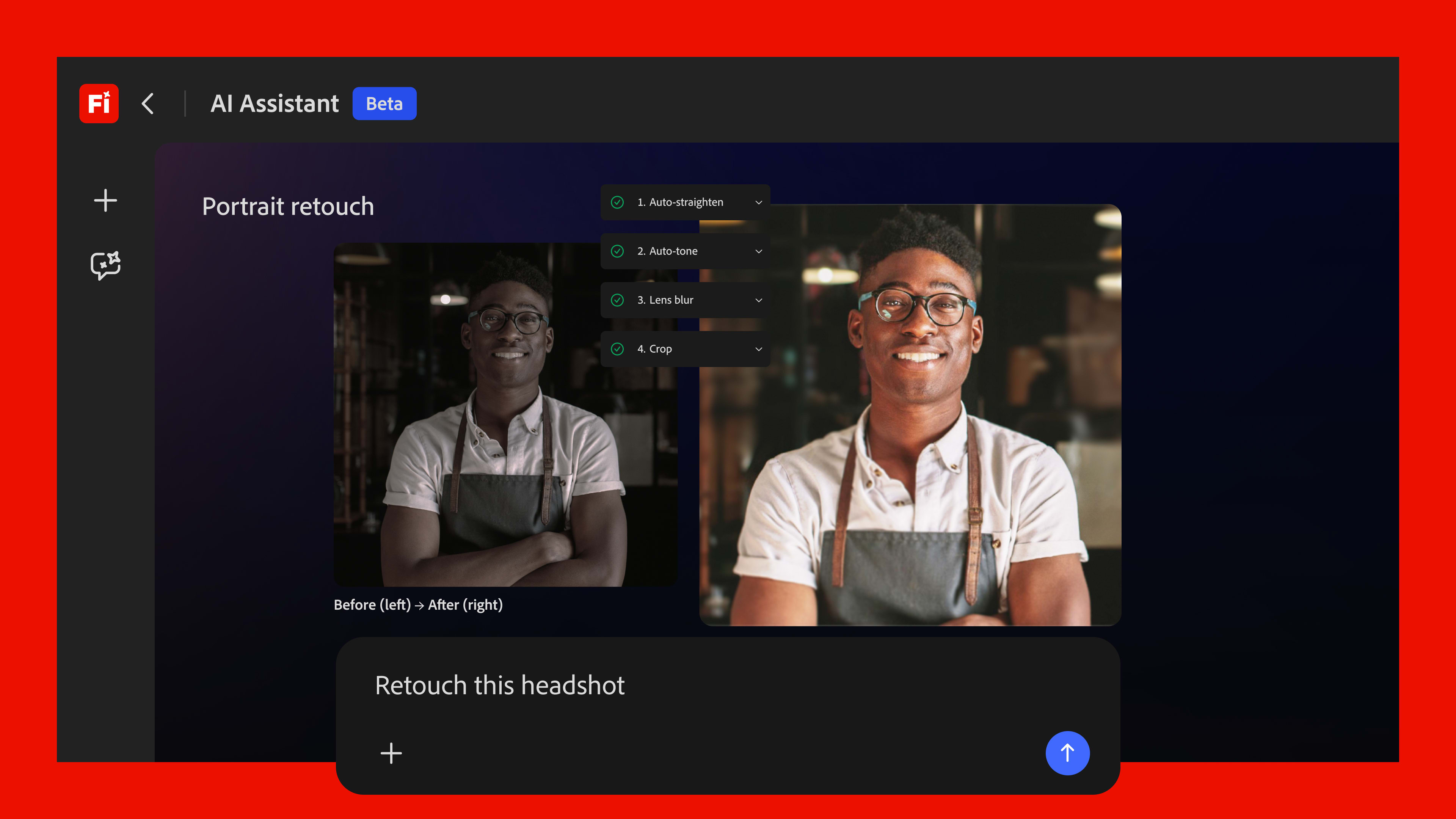

🚀 Adobe launched Firefly AI Assistant today, a conversational creative agent
🎺 It orchestrates multi-step workflows across Photoshop, Premiere, Lightroom, Illustrator, Express – all from a single chat interface
🗓️ The assistant launches “in the coming weeks” as a public beta, but several other features drop today
🎨 Precision Flow and AI Markup are live now, giving creators new ways to explore image variations and paint edits directly onto photos
🎞️ Firefly Video Editor gets Audio Enhance Speech, color adjustment tools, and access to 800+ million Adobe Stock assets – all available today
📹 Two new video AI models join Firefly’s lineup: Kling 3.0 and Kling 3.0 Omni, bringing the total roster to 30+ creative AI models
🤖 Adobe also confirmed Firefly AI Assistant will eventually work with Anthropic’s Claude and other third-party AI models
Adobe’s pitch with Firefly AI Assistant is simple, even if the tech behind it isn’t: stop thinking about tools, start thinking about outcomes. Instead of opening Photoshop, then Premiere, then Express and manually threading your project through each app, you describe what you want – “make these product photos consistent for my website, then resize them for Instagram” – and the assistant handles the choreography.
“Adobe is leading the shift into a new era of agentic creativity, where you direct how your work takes shape and your perspective, voice and taste become the most powerful creative instruments of all,” said David Wadhwani, President of Adobe’s Creativity & Productivity Business.
The system works by combining traditional Creative Cloud tools – actual programming-based features from within Photoshop, After Effects, Premiere – with generative AI models. The agent breaks down a prompt, sequences the right tools and models in the right order, and shows its reasoning step by step along the way. You can jump in at any point with natural language tweaks, or pull up traditional controls like sliders and brushes right inside the Firefly interface.
One of the more interesting UI ideas on demo: context-aware sliders that aren’t generic. Instead of a standard “background blur” adjustment, the system can surface a slider specifically tuned to, say, the amount of coffee beans or ice in a product shot. It sounds gimmicky until you realize how much time pros spend hunting through menus for precision controls on highly specific edits.
When you’re ready to go deeper, the context travels with you. Open the image in Photoshop and the AI Assistant follows – your session history, preferences and project context all carry over so you’re not starting from scratch.
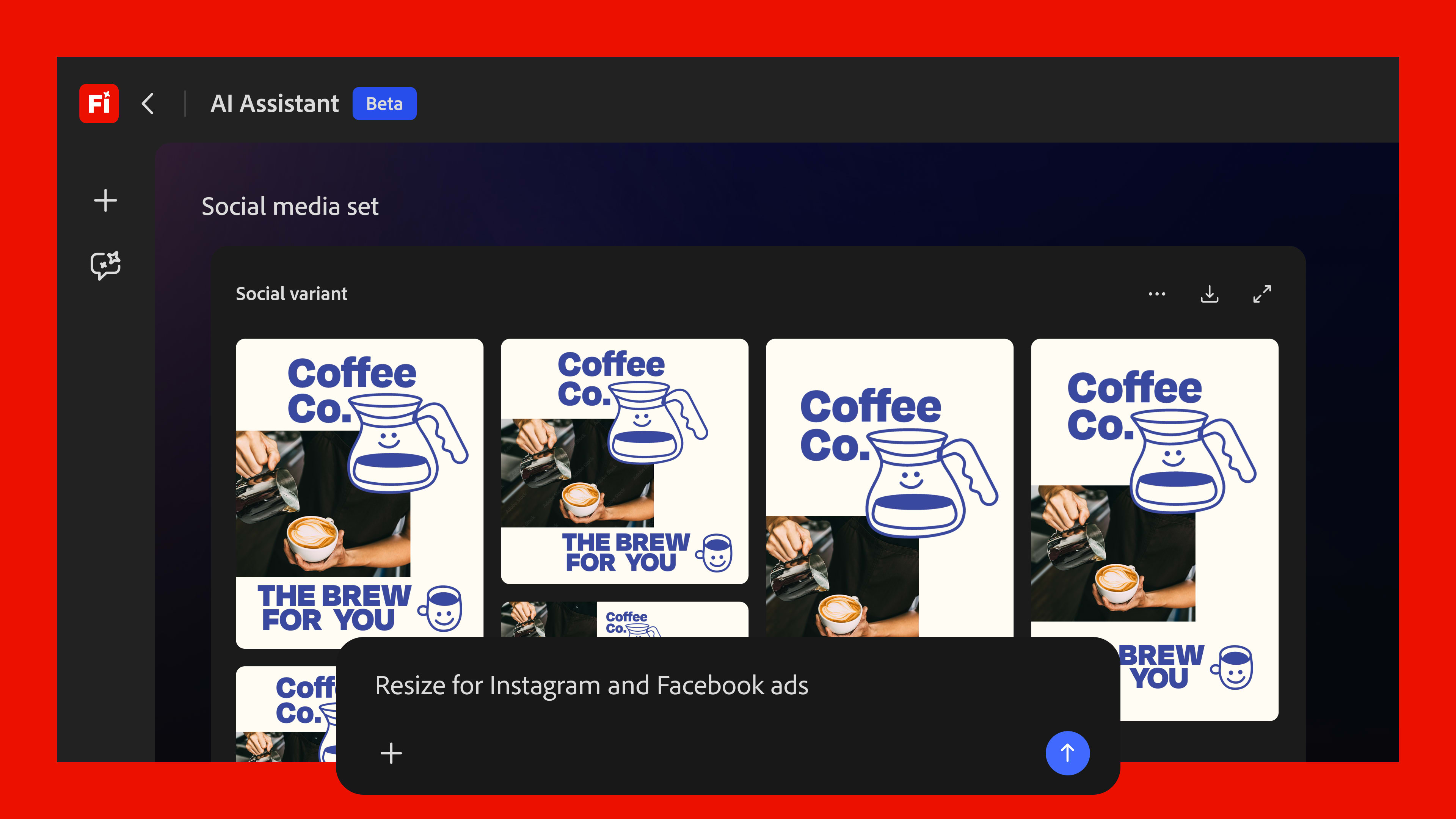
While the full Firefly AI Assistant is still in the oven (public beta “in the coming weeks”), a meaningful chunk of the announcement is shipping now.
Precision Flow lets creators generate a wide sweep of image variations from a single prompt and scrub through them via slider – from subtle tweaks to dramatic transformations – without re-prompting from scratch each time. AI Markup gives you a brush and rectangle tool to literally draw on an image, marking where you want edits applied before continuing with prompts to place objects, adjust lighting, or sketch in new elements.
The Firefly Video Editor also picks up some serious new horsepower today. Enhance Speech – the noise reduction and dialogue cleanup tool already beloved in Premiere Pro and Adobe Podcast – is now baked directly into the browser-based video editor. Color adjustment tools let creators tune exposure, contrast and saturation with intuitive sliders. And Adobe Stock’s full catalog of over 800 million licensed assets, including video clips, audio and sound effects, is now accessible directly inside the editor timeline.
On the model side, Kling 3.0 is the new all-purpose video AI optimized for fast, high-quality output with smart storyboarding and audio-visual sync. Kling 3.0 Omni adds finer control over shot duration, camera angles, and character movement across multi-shot sequences – useful for anyone building more cinematic short-form content.
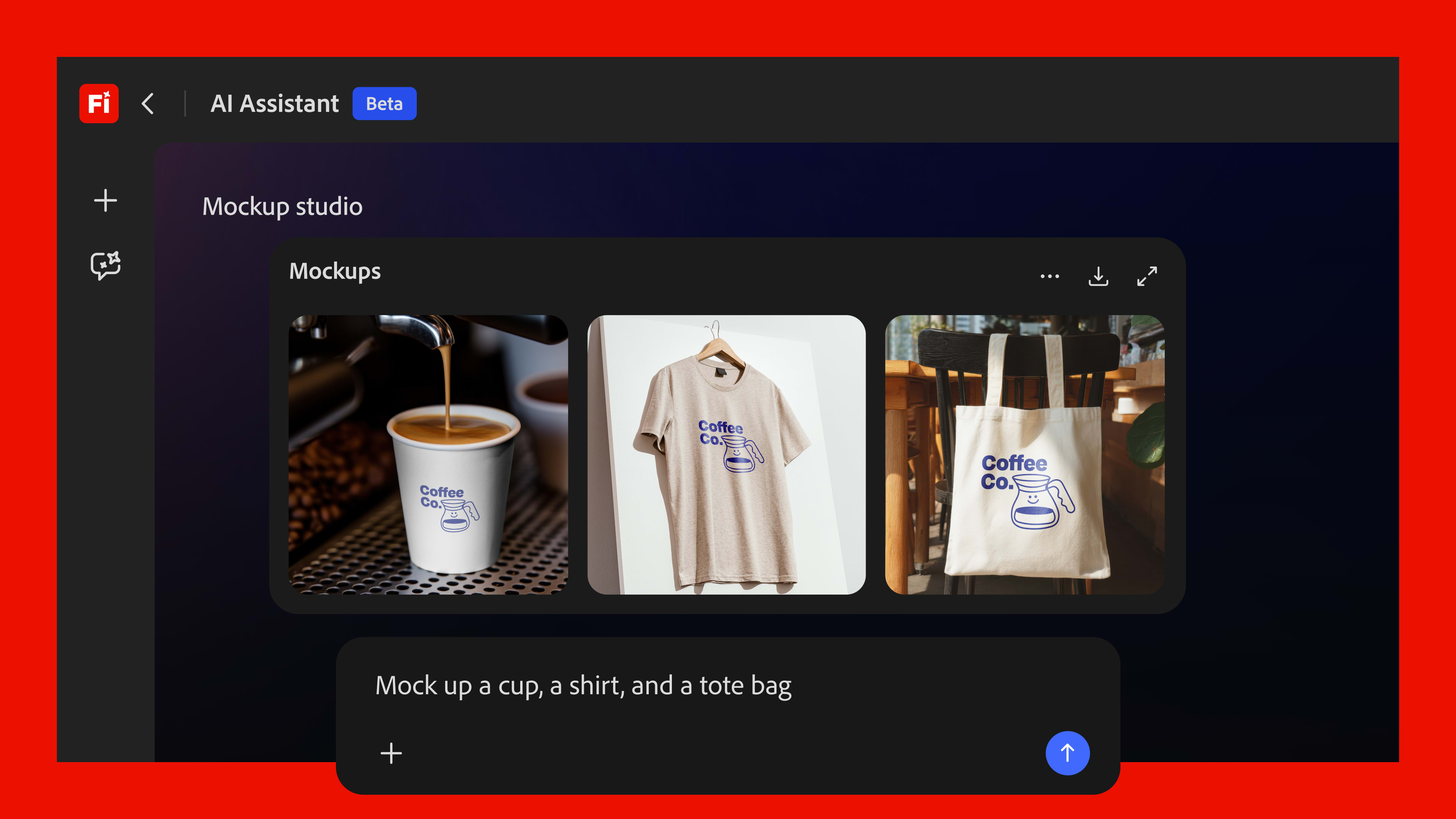
Adobe is framing Firefly AI Assistant as the beginning of a decade-long shift in how creative work gets done. The foundation here matters: unlike a generic AI that generates images from nothing, this agent can tap into the actual precision tools inside industry-standard professional apps – not just approximate them.
Worth noting for Claude fans: Adobe confirmed it’s building Firefly AI Assistant integrations for Anthropic’s Claude and other third-party AI models, so the creative workflow pipeline won’t be limited to Adobe’s own surfaces.
The creative agent is available for Firefly plan subscribers when the public beta launches. The video, image editing, and new model features are live today.




.jpeg)